Governance & evidence
Controlled records and reliable evidence
Manage controlled documents, review activity history, search across modules, and produce useful exports for audits and management review.
QualityMate brings core QMS workflows into one structured platform, helping teams manage documents, risks, CAPA, change requests, audits, tasks, training, suppliers, reports, notifications, and audit-ready activity history.
Module groups
QualityMate modules are grouped around governance, quality workflows, risk and supplier control, and day-to-day responsibilities.
Manage controlled documents, review activity history, search across modules, and produce useful exports for audits and management review.
Raise findings, track root-cause work, manage changes, plan audits, and follow actions through to verification and closure.
Review risk exposure, record treatment decisions, manage supplier criticality, and keep follow-up visible with owners and review dates.
Assign tasks, track training and competence evidence, notify users, and highlight due-soon or overdue work across the QMS.
Current interface
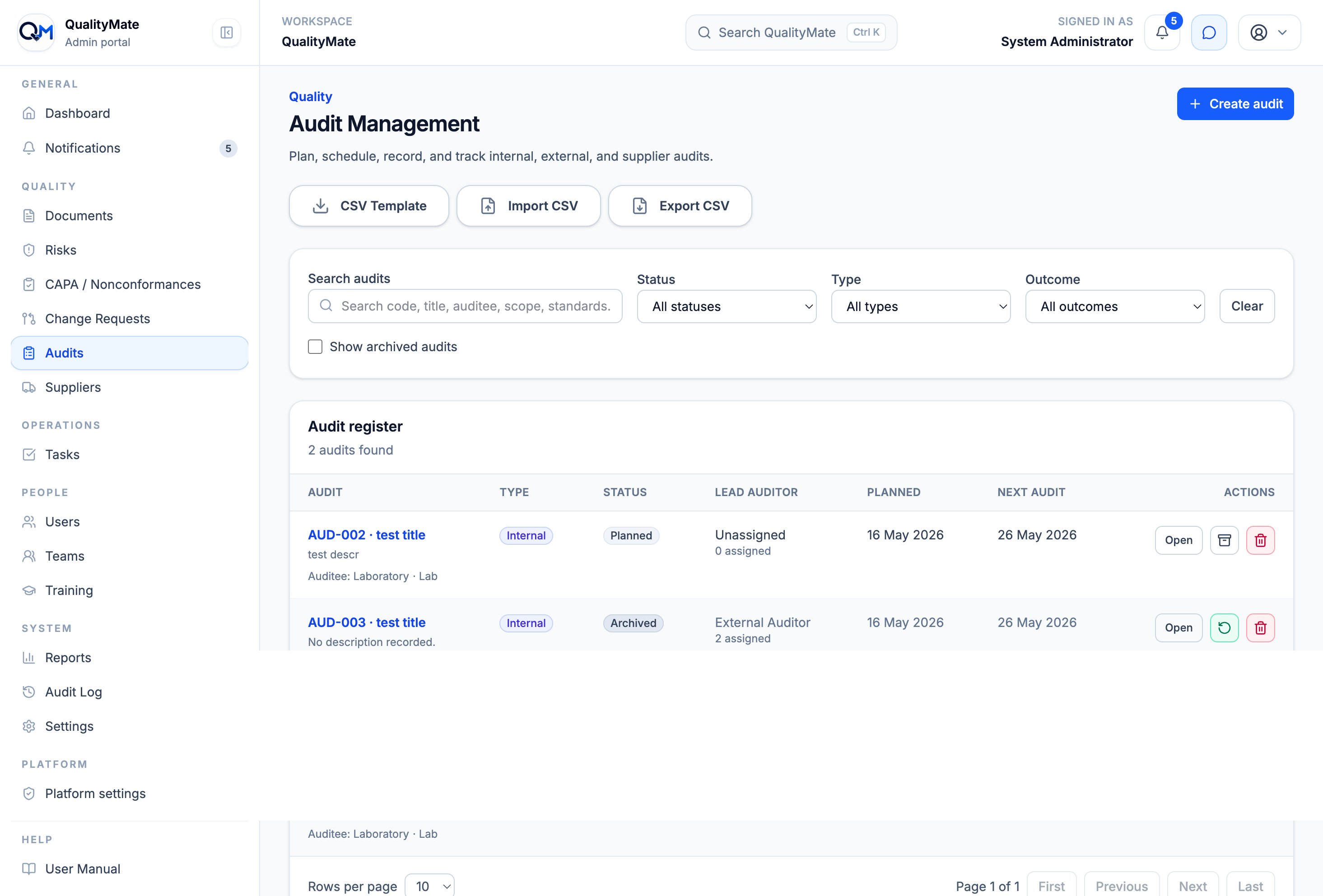
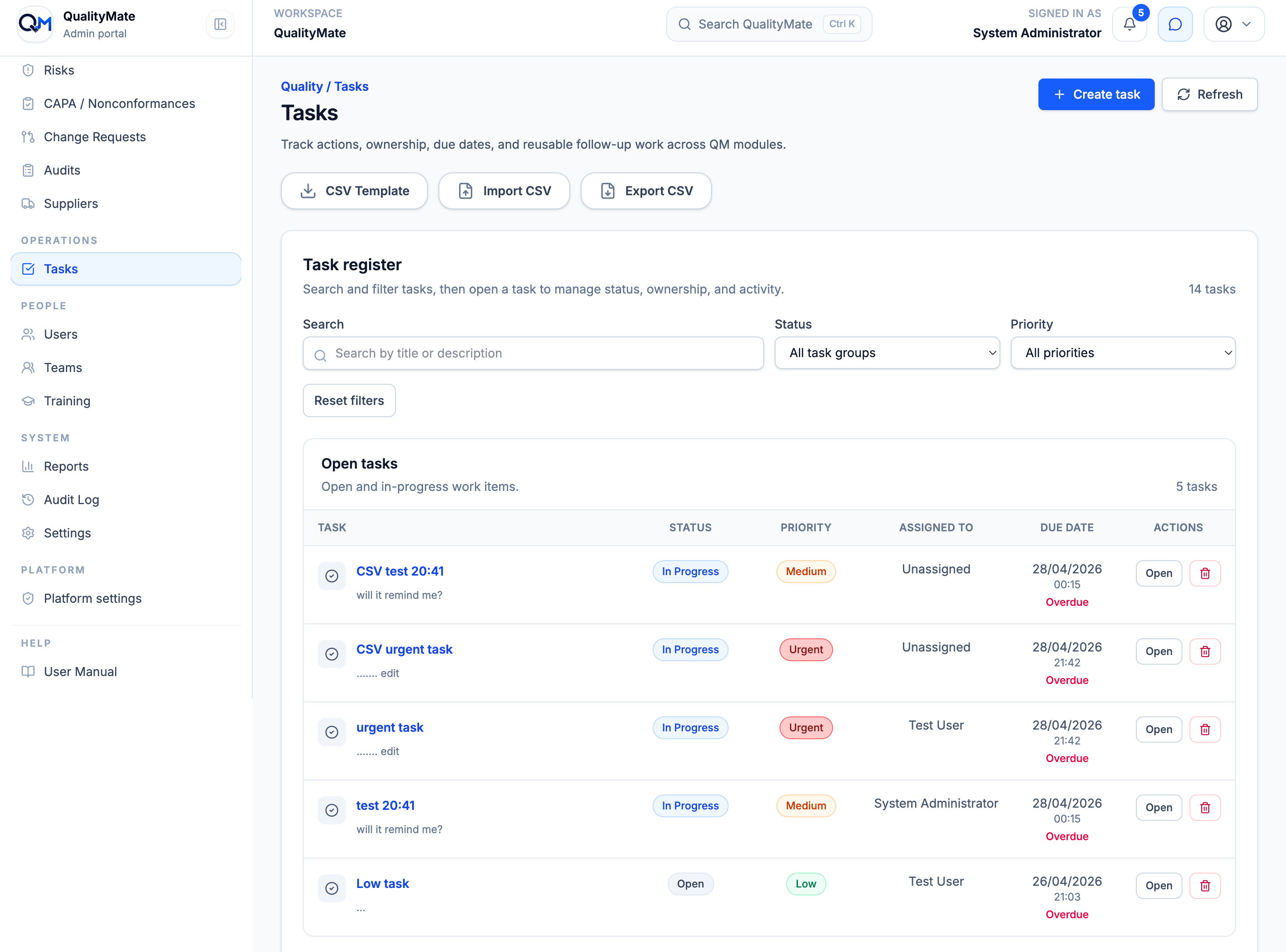
Registers, filters, detail pages, owners, status badges, imports, exports, attachments, comments, and activity history are intentionally consistent across the platform, so teams do not need to relearn each workflow.
Module detail
Each module follows a consistent pattern: clear ownership, status, dates, evidence, activity history, permissions, in-app AI help, and practical import/export support where register-style records are used.
Manage controlled documents, versions, approvals, review dates, current files, previous uploads, preview/download actions, deletion requests, and document activity history.
Track ISO-related risks, CIA impact, current and residual scoring, treatment plans, Annex A controls, treatment owners, review dates, and CSV imports/exports.
Record corrective actions, nonconformances, and opportunities for improvement with ownership, workflow status, investigation, actions, verification, closure, and activity history.
Manage change requests with affected scope, risk and impact assessment, approval decisions, implementation work, review outcomes, and traceable workflow history.
Plan internal, external, and supplier audits with lead and assigned auditors, scope, objectives, criteria, outcomes, evidence attachments, reminders, CSV import/export, and activity history.
Assign work, set due dates, highlight overdue tasks, track comments, manage completion and reopening, and connect follow-up actions to wider quality activity.
Create training records, assign trainees, track completion, expiry, renewal dates, competence outcomes, verification notes, evidence, and training reminders.
Manage supplier records, contacts, approval state, criticality, risk rating, standards, review dates, multi-owner responsibility, evidence, reminders, and import/export workflows.
Search across records, review dashboard summaries, use report cards, export CSV data, and print or save reporting views for management review and audit preparation.
Notify users about assignments, due-soon work, overdue items, training requirements, audit dates, supplier reviews, and other time-sensitive quality actions.
Organise users and teams, assign roles, control permissions, and keep access aligned with responsibilities across the QMS.
Review who created, edited, approved, archived, restored, imported, exported, or changed important records, with paginated activity views and CSV export where available.
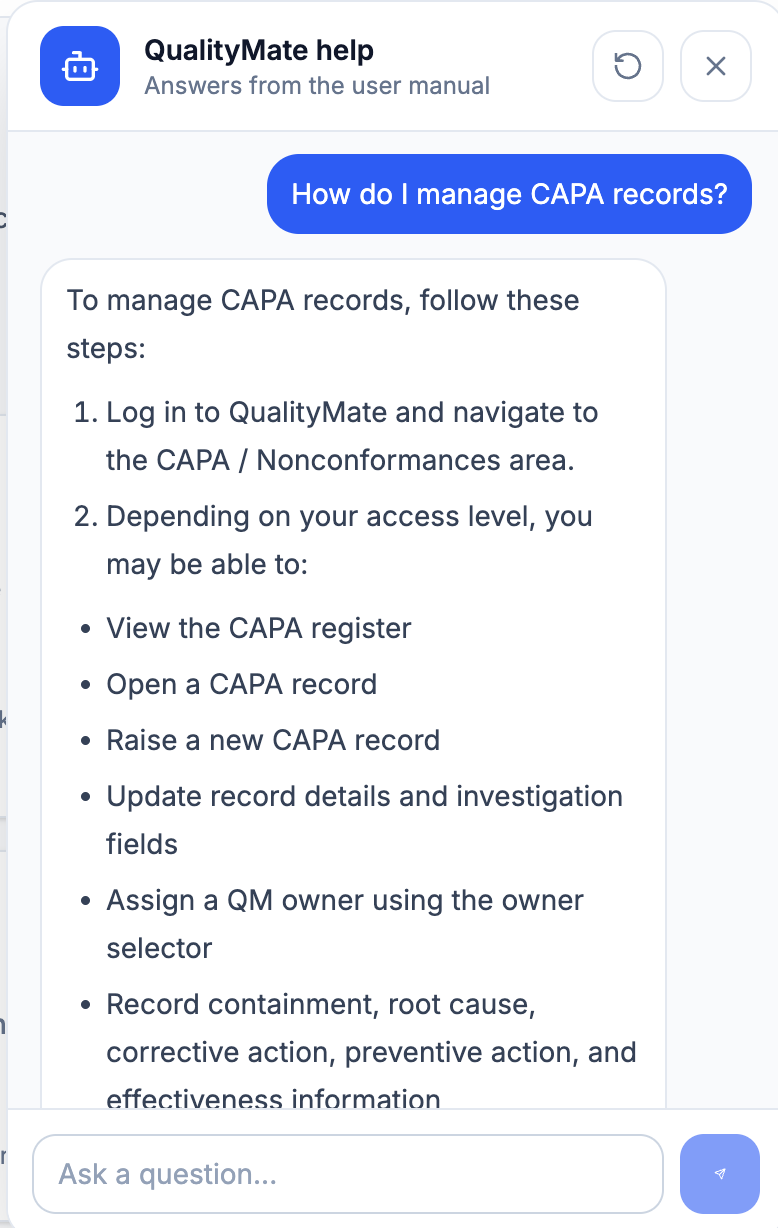
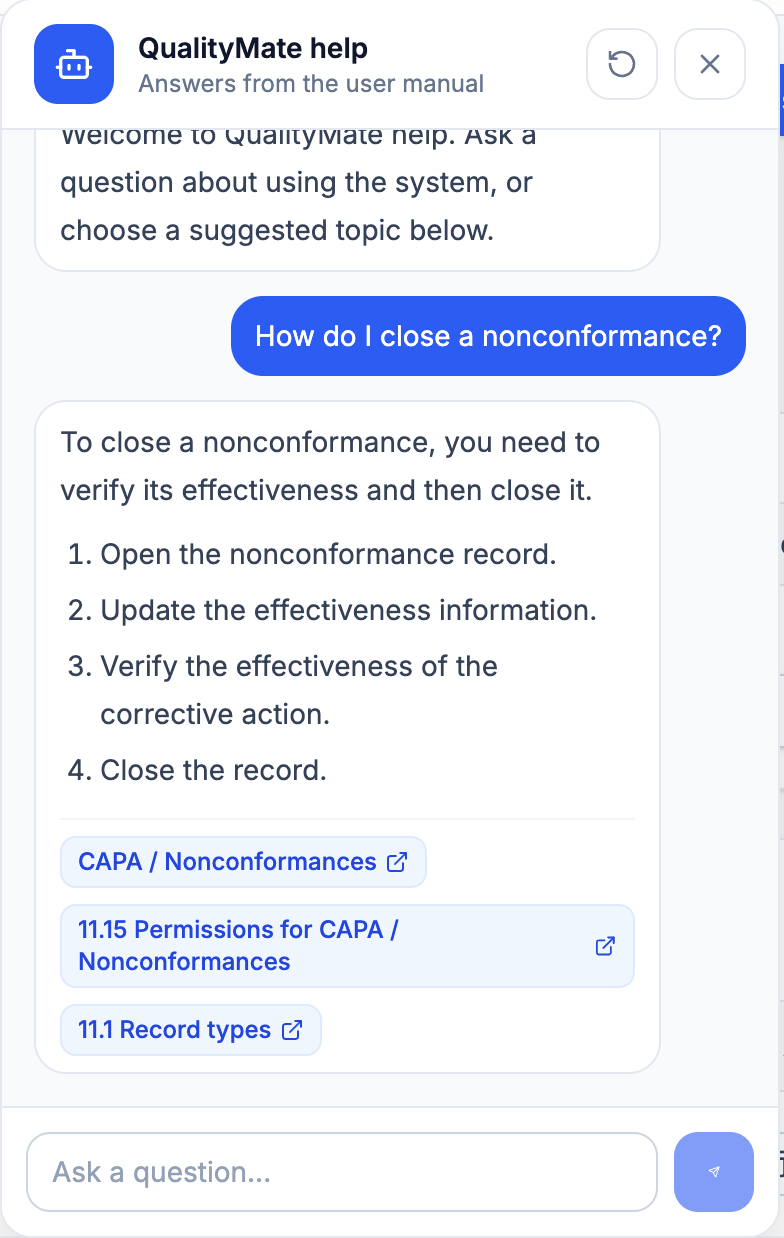
Ask questions inside QualityMate and receive answers from the user manual, with suggested topics and links to relevant manual sections.
Built-in guidance
The AI help chatbox lets users ask practical questions about QualityMate workflows, then returns manual-grounded answers and links to relevant guidance. It reduces the need to search through documentation during day-to-day quality work.
Connected records
QualityMate is designed so records, owners, evidence, tasks, reminders, imports, exports, and activity history support the same governance model across modules.
Attachments, notes, version history, and activity history help teams understand what happened and why.
Owners, assignees, auditors, trainees, and reviewers remain clear across records and follow-up actions.
Review dates, due dates, reminders, and dashboard views help teams see what needs attention.
CSV templates and imports help bring existing registers into structured QualityMate workflows.
Request a demo
Talk to us about your current records, registers, workflows, and audit requirements.